
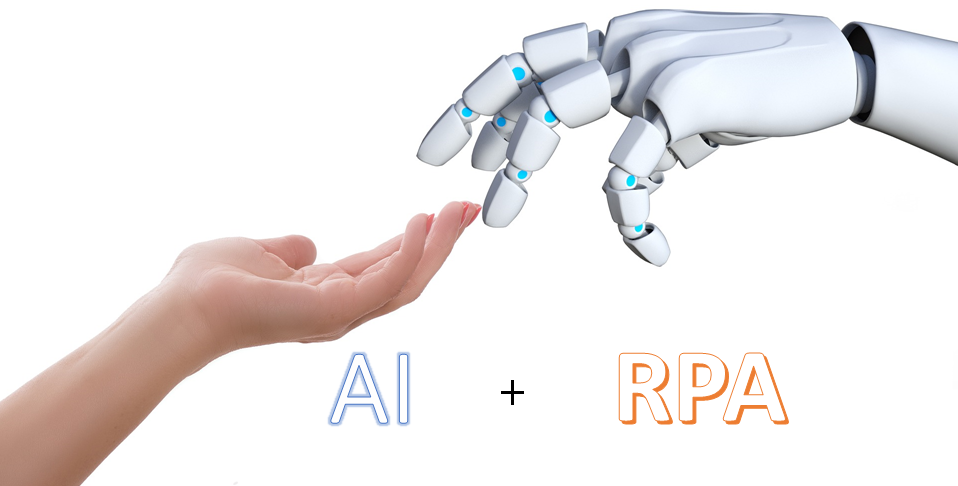
There is a trend in many RPA-related communications to add the words “Artificial Intelligence” (AI) to their messaging, in such a way that one might think a certain RPA technology provider includes Artificial Intelligence in their products.
It’s true that both technologies complement each other well, and from any RPA product, it’s easy to call an external AI service. For example, there are already multiple robots that call Google Cloud Natural Language, IBM Watson, or Microsoft Azure Text Analytics services, among others.
However, what really piqued my curiosity was whether RPA products include any form of artificial intelligence natively (without calling external tools). So, after reading numerous articles and watching many demo videos, I’ve tried to separate the wheat from the chaff and identify what the main RPA providers actually include in their products.
But before anything else, it’s necessary to properly understand some basic terms that are used in this context.
Artificial Intelligence
The Oxford dictionary defines it as: A computer program designed to perform certain operations that are considered to require human intelligence.
One of the most important tools AI uses to solve these problems is Machine Learning, a technique by which systems learn something automatically as they are given information.
Different methods are used for learning: probabilistic, classifiers (support vector machines, nearest neighbor, decision trees…), clustering, regression, etc.
Another term that often appears is Computer Vision, a discipline of AI aimed at enabling a system to understand and classify images as a human would. Machine Learning or other techniques are used for this purpose.
Similarly, Natural Language Processing (NLP) is another AI discipline focused on enabling a system to understand and process human language. Machine Learning techniques are also used to identify structure, language, or specific data. It’s worth noting that only about 10% of a company’s documents contain natural language; most use more constrained language depending on the business type.
Since I can’t analyze all the RPA solutions on the market, I’ve focused on the most prominent ones, starting with Kofax, which I know best.
Kofax
Kofax specializes in automating processes that involve managing information contained in documents. Their solutions include RPA, BPM, multichannel information capture, e-signature, CCM, and BI (Business Intelligence). Their RPA solution includes functionality to classify all types of documents and extract data from them. This allows robots to make decisions based on the content of the documents they handle. Kofax has been using AI in its products for over 15 years but has never advertised it.
Classification uses Machine Learning so that the product is given samples of a document type and automatically generates a knowledge base based on similarities among samples. The same is done for each document type. For example, this function can be used to classify all incoming emails and automatically route them to the appropriate department (accounting, customer service, support, etc.).
Data extraction also uses Machine Learning to determine where the data to be extracted is located in each document and learns over time. Most of the documentation that Kofax handles is business-related, but its most advanced function includes NLP technology to handle natural language, extracting information based on its context. In simpler projects, information is extracted from structured documents like invoices, orders, IDs, contracts, etc., and in more complex ones, from unstructured documents such as mortgages, deeds, meeting minutes, etc.
In addition to Machine Learning, Kofax has a powerful rules engine to complement classification and data extraction.
For screen control, Kofax robots can use Intelligent Screen Automation (ISA), a Computer Vision technique that identifies all objects on the screen and recognizes all visible words (OCR). This allows the robot to navigate the screen based on objects (menus, buttons, text boxes, images, etc.) and the surrounding words, rather than relying on fixed positions. This adds a lot of flexibility in production, as screens don’t always have to be exactly the same, with the same resolution and appearance. The identification of different screen objects was done using Machine Learning, training the software with hundreds of example application screens.
Blue Prism
Blue Prism was one of the pioneers in RPA solutions and, though it’s losing market share, remains one of the sector’s references. You can find hundreds of articles about Blue Prism calling all kinds of external AI services, and the product is ready to communicate with the most well-known ones (Google, Microsoft, etc.).
However, I have not found any reference to actual AI functionality built into the product.
Recently, Blue Prism announced the creation of a new lab dedicated to embedding AI capabilities into its product. https://www.blueprism.com/news/blue-prism-expands-r-d-capabilities-adding-dedicated-ai-labs-and-outlines-roadmap-for-embedded-ai-capabilities
The article highlights that the key will be to include the ability to understand data from documents in any format and use Computer Vision to improve bot design when interacting with environments, following the ideas mentioned earlier.
UiPath
UiPath is one of the fastest-growing companies, to the point that many analysts (e.g., Forrester or Gartner) considered it a market leader in 2018. It’s worth remembering that analysts evaluate not only product functionality, which is what interests me most, but also business parameters like market coverage (industries and geographies), number of references, strategy, business model, etc.
Like other vendors, the product integrates with almost any external AI tool. In addition, a few weeks ago UiPath announced the ability to automate screens using Computer Vision: https://twitter.com/uipath/status/1086231426503106560.
This allows robots to avoid relying on fixed screen positions.Unfortunately, UiPath uses external tools to understand the information in documents, and there do not appear to be plans to change this. It’s the only major vendor for which I could not find any roadmap for adding document understanding features.
Automation Anywhere
Automation Anywhere is the third major player in the RPA sector and likely the leader in the American market. It offers IQ Bot, a technology that enables data extraction from documents using AI techniques: https://www.automationanywhere.com/images/products/IQBotBrochure.pdf
Their messaging is heavily marketing-driven, making it difficult to know exactly which techniques are used, but from the videos I’ve seen, I’d say they use Machine Learning to learn where information is located in documents.
However, the functionality seems rather basic. I haven’t seen examples with complex documents (most of the time, invoices are captured, which has been a solved problem for years), and it doesn’t seem to be able to capture data from unstructured documents (mortgages, contracts, etc.).
I also haven’t seen options to complement learning with design rules (keyword searches, formats, or data relationships) or even create fixed templates. And I’m not clear whether the learning must occur before deployment or if online learning is possible (ideally, both options should be available).
Workfusion
Workfusion’s offering is very similar to Kofax in the sense that, in addition to traditional RPA, the solution includes Machine Learning to capture information from unstructured documents, a workflow manager, and analytics and reporting tools.
Workfusion is a relatively new company, fundamentally rooted in the AI world.
Almost all their public news or videos have a strong marketing component. But these two articles give a good idea of how their main solution (Workfusion SPA) works:
https://blog.workfusion.com/8-steps-to-supercharging-rpa-7b0982e4c7d3
https://blog.workfusion.com/5-top-questions-email-intake-processing-418ba7905e18
Workfusion’s idea is to use Machine Learning (with different algorithms) to extract information from documents (structured and unstructured) so the robot can perform actions depending on this information. The learning steps are standard (gathering significant samples, user support to show where the data is, and generating the knowledge base).
What the solution lacks, in my opinion, is complementing the AI part with a rules engine to implement the different use cases that commonly arise in these projects.
On the other hand, I’m surprised that, as AI specialists, all their public references talk about capturing very simple documents. For example, Workfusion holds a hackathon among its partners to push its technology to the highest level, and in the two editions held so far, the challenge has been to capture invoice information. As I’ve mentioned before, invoice data capture has been solved for over 15 years. I was hoping to find some more complex use cases.
Others
Most RPA vendors are working on systems that can analyze the work users do to build robots automatically (or more easily). Initially, the idea was fairly simple: record part of the user’s work, and the robot would be built by replaying the recorded tasks. This works well for demos, but it’s not very applicable in production because robots need to learn to handle exceptions, so manual configuration is eventually needed.
That’s why there are companies today trying to apply AI to this design phase, so that after observing a user for days, the software will automatically determine all the decisions the user makes based on the data on screen and implement the robot accordingly. It sounds a bit like science fiction, and currently, this solution works well for creating robots that execute the “happy path” (the task a user performs most frequently), but its designers admit it still has a long way to go before it can correctly recognize exceptions.
Conclusions
Let’s not fool ourselves—traditional RPA products, which only mimic a user’s movements on a PC, don’t require NASA-level technology or highly complex programming. If you want to choose the right one for your business, then you must consider its architecture and scalability, and above all, what gives them added value is the ability to understand the information they process, as this enables the automation of many more processes. AI helps in this area, which is why we’re seeing more and more marketing in this direction.
This is the path RPA vendors are following, although, as we’ve seen, there are significant differences between them today. While Kofax has been capturing document information for many years, others are just getting started, like Workfusion and Automation Anywhere; some haven’t even begun (Blue Prism), and others rely on third-party tools (UiPath), which has many drawbacks—different consultants, different maintenance, different licenses, etc.
The first to market are the ones who have dominated so far, but as we know, in technology, after the initial business development phase comes the competition phase (where we are now, with solutions popping up everywhere), and then comes the domination phase, with one or two solutions as undisputed leaders (which aren’t always the ones who started it all).
We still have some very interesting years ahead in the RPA world.